 ArchPlug Hub
Help Center
Frequently Asked Questions
Do I need to pay for a subscription?
No. Every ArchPlug plugin is a one-time purchase with a lifetime license for the major version you buy — no subscription, no renewal fee. All minor and patch updates are free forever, including support for newly released Revit versions. A future major version is entirely optional, and as an existing customer you get it at 50% off. If you would rather have every major version included automatically, there is a $30/month plan.
How much do ArchPlug plugins cost?
Individual plugins are $48–$83 as a one-time purchase, the bundle of all 7 first-wave plugins plus the Settings hub is $209 one-time, a $30/month plan covers every plugin including all future major versions. Students and teachers get 30% off.
Is there a free trial, and do I need an account?
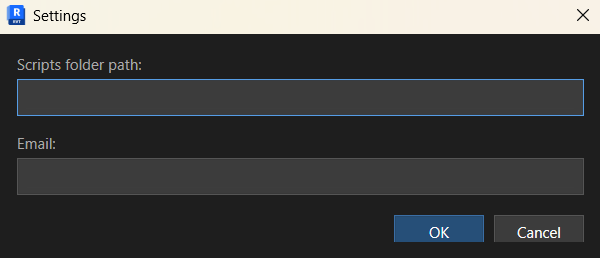
Every paid plugin comes with a full-featured 14-day free trial — nothing is disabled or watermarked during it. No credit card and no password are needed, only your email address: request the trial on the plugin's card, we email you the download link, and after installing you type the same email once into ArchPlug Settings inside Revit. The trial runs on that email address, and if you buy later the license is added to the same address, so there is nothing to reinstall and no license key to keep track of.
What happens after my 14-day free trial ends?
When the trial expires the plugin stops working and prompts you to buy it on our website. Purchases go through your ArchPlug account: as soon as the payment is confirmed, the license is activated on that account and the plugin unlocks for the email address you bought it with. Your installers stay available any time under Account, so there is no key to keep track of.
What if a plugin turns out not to be right for me?
Besides the 14-day trial, every purchase is covered by a 30-day money-back guarantee. Email support@archplug.com within 30 days of your purchase and we refund it in full, no questions asked. The details are in our Refund Policy.
Which versions of Revit are supported?
Our tools are compatible with Autodesk Revit 2022, 2023, 2024, 2025, 2026 and 2027, on Windows. There is no macOS version, because Autodesk Revit itself does not run on macOS. Support for newer Revit versions is added as a free update.
Can I use the plugin on multiple computers?
Yes. Your license is tied to your ArchPlug account, not to a specific computer, so you can install the plugins on as many of your own machines as you like — office workstation, home laptop, a spare PC. A license is per person, so the plugins are meant to be in active use on one machine at a time; each additional user in the office needs their own license.
How do updates work?
Updates within your major version are free, and you do not have to download them yourself. ArchPlug Settings, which installs with every plugin, checks for new versions and installs them automatically in the background, so bug fixes and support for new Revit versions arrive without running an installer again. A list of recent fixes is published at archplug.com/docs/bug-fixes.html.
Where do the plugins appear in Revit after I install them?
Run the .msi installer and open Revit — every ArchPlug tool sits together on the ArchPlug tab of the ribbon, each with its own button. If Revit was closed during the installation there is nothing else to do; if it was running, restart it once. A step-by-step manual for each tool is at archplug.com/docs.
Windows says "Windows protected your PC" during installation.
Our installers are digitally signed by ArchPlug DOO, so the publisher shown is our company name, not "Unknown publisher". Microsoft Defender SmartScreen can still display that notice for a while after each new release, until enough people have downloaded that exact file. Click "More info" and then "Run anyway".